

Leave Management System in PowerApps
User Manual – How to download and install App in your environment
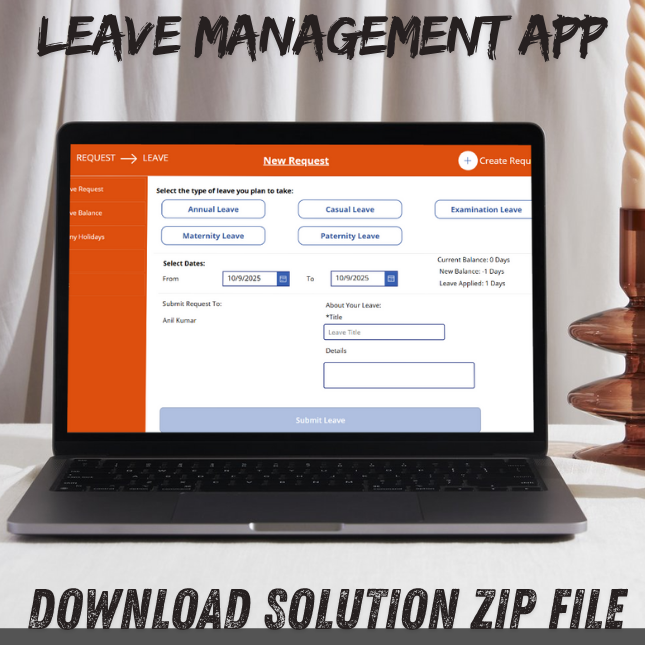
A well-structured Leave Management System in PowerApps helps organizations streamline the process of handling employee leave requests, approvals, and tracking. Built using Microsoft PowerApps, this low-code solution allows HR teams to automate workflows, reduce paperwork, and maintain accurate leave records in real time. Employees can easily apply for leave, check their balances, and receive updates—all from a user-friendly interface. With seamless integration into SharePoint, Microsoft Teams, and Outlook, a PowerApps Leave Management System ensures better visibility, faster approvals, and improved compliance. In this guide, we’ll show you how to build and deploy an efficient leave management app.
Leave Management System in PowerApps – A Smart Solution for Modern Workforce Management
Our Leave Management System, built using Microsoft PowerApps, is a robust, efficient, and customizable solution designed to streamline the process of managing employee leave within organizations of all sizes. Leveraging the capabilities of the Power Platform, this application enhances HR operations by eliminating manual processes, increasing transparency, and enabling seamless communication between employees, managers, and HR departments.
Key Features of Leave Management System in PowerApps
-
User-Friendly Interface:
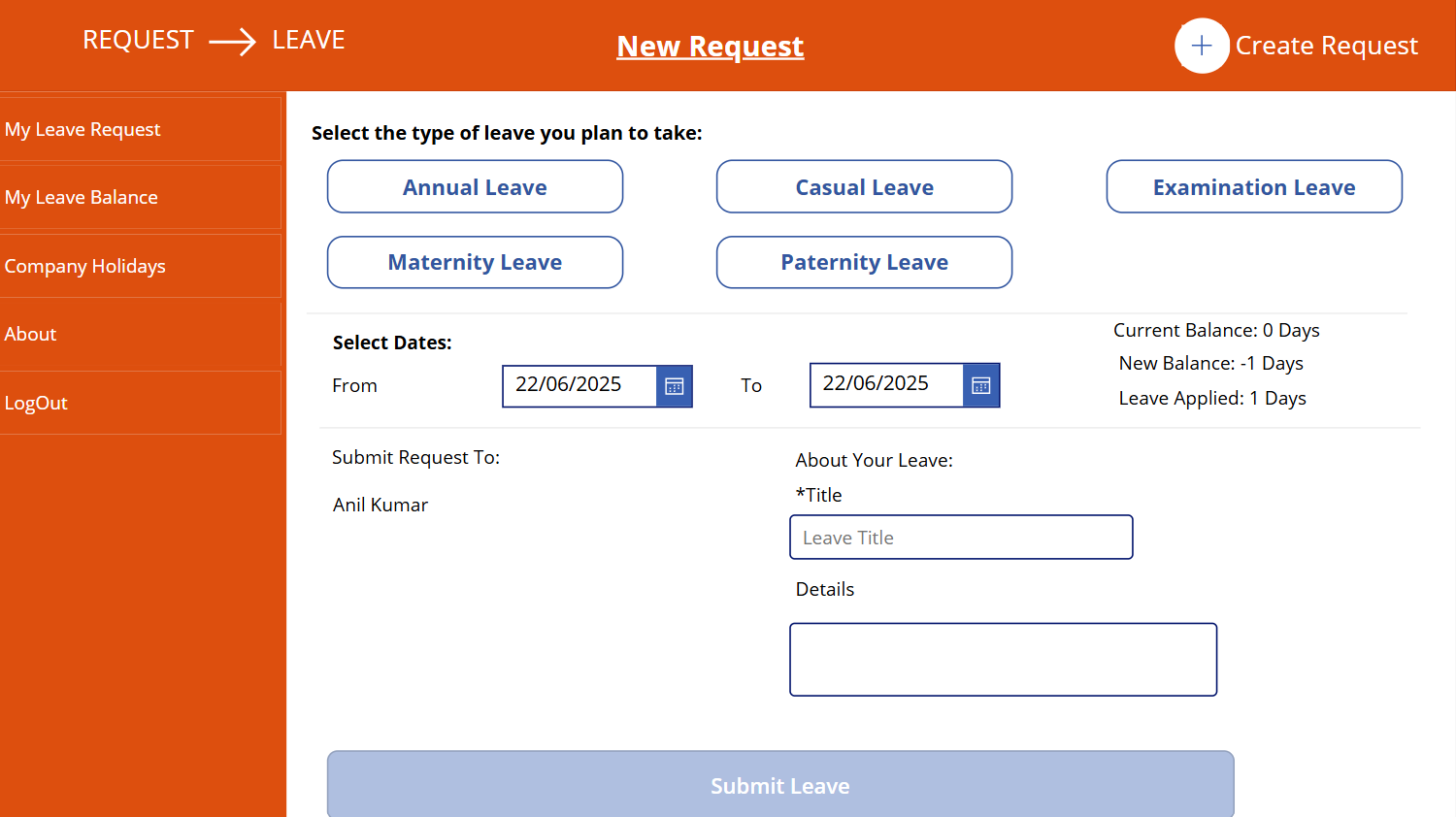
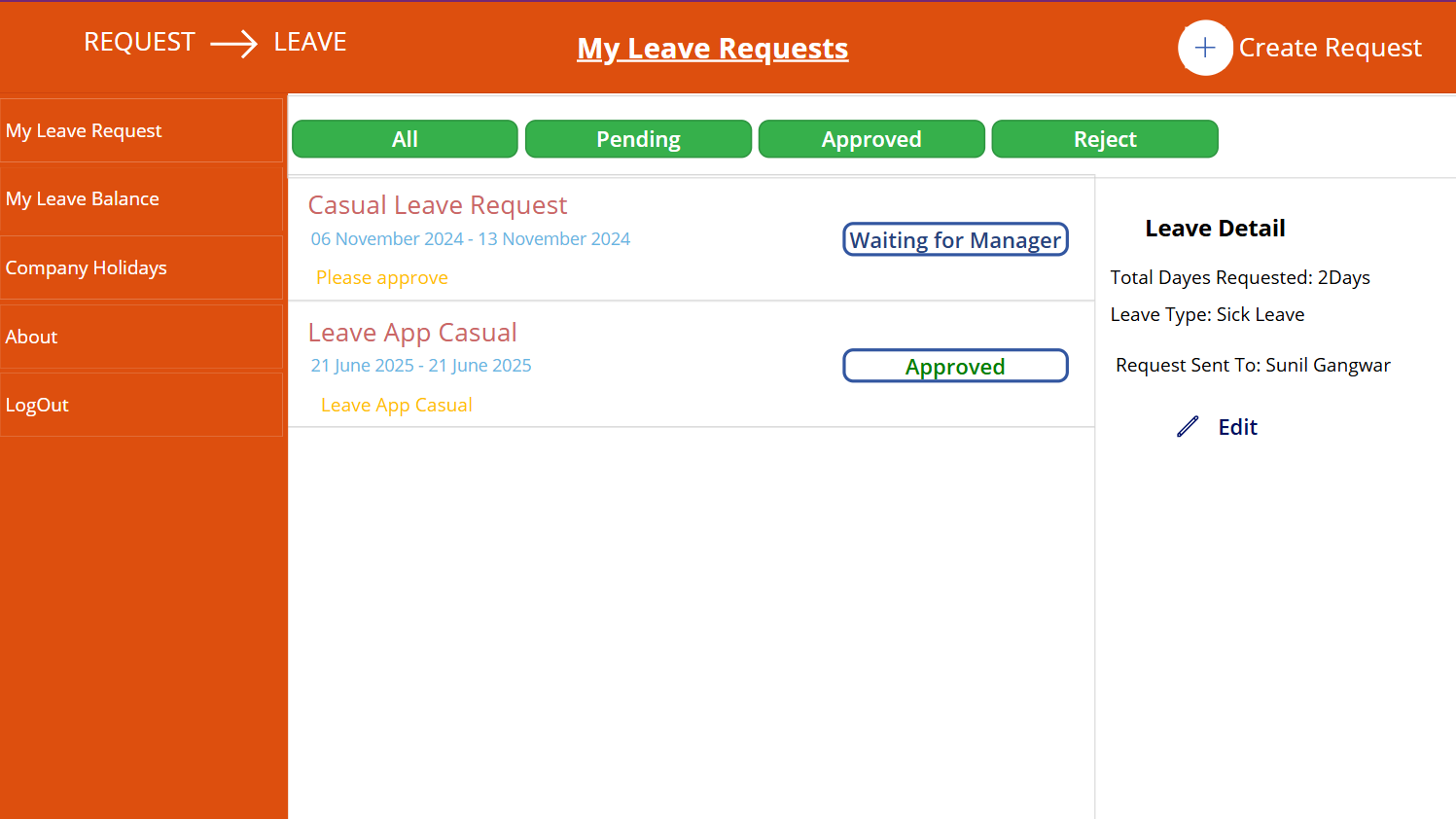
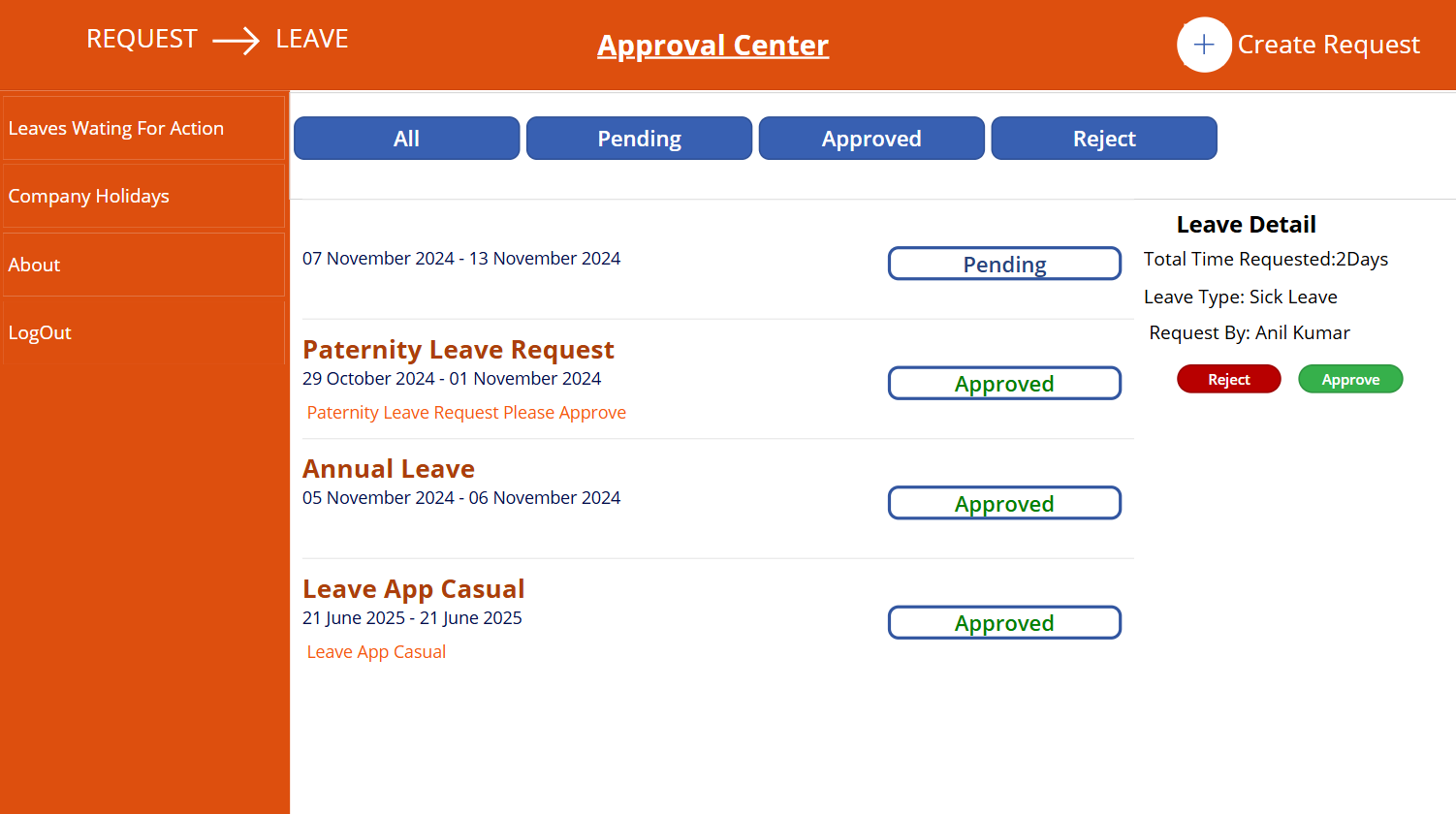
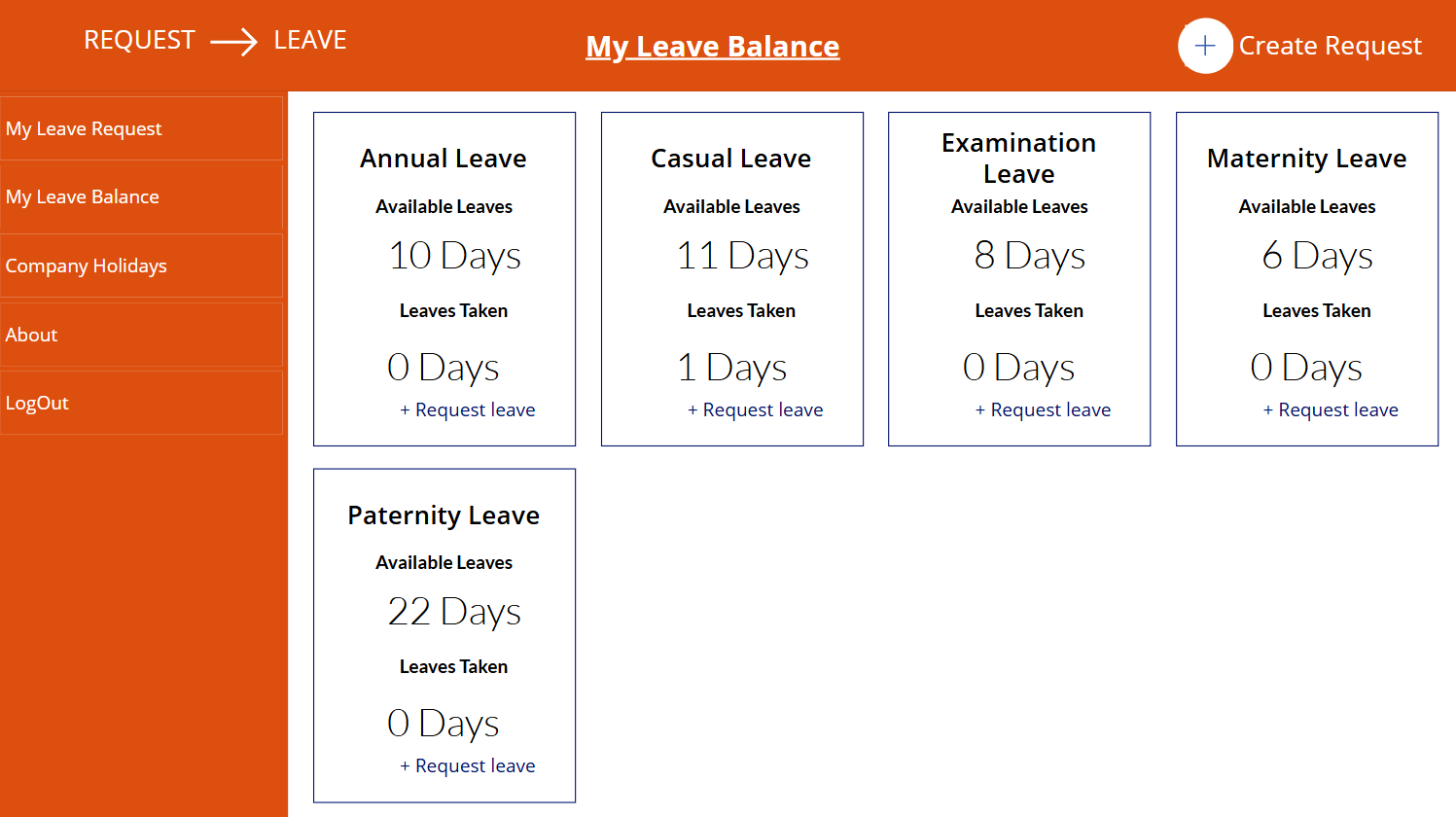
The Leave Management System in PowerApps provides an intuitive, mobile-friendly interface that allows employees to easily navigate through the leave application process. Whether using a desktop, tablet, or smartphone, users can submit leave requests, view past leaves, and check remaining leave balances without needing technical expertise.
- Leave Request Management:
Employees can submit various types of leave (sick leave, casual leave, paid time off, etc.) directly through the Leave Management System.Each request includes essential details such as leave type, duration, reason, and attachments (like medical certificates, if required). The app ensures that all fields are validated before submission, reducing errors and incomplete forms. - Manager Approval Workflow:
Once a request is submitted, it is automatically routed to the respective manager or approver based on predefined workflows. Managers receive real-time notifications via email or within the app and can approve, reject, or comment on requests. The automated workflow ensures a smooth and efficient approval process with full visibility. - Leave Balance Tracking:
Employees can view their available leave balances updated in real-time. The app can be integrated with your organization’s HR system or Microsoft Excel/SharePoint list to fetch and update leave data dynamically. - Calendar View and Reporting:
A built-in calendar view allows both employees and managers to see leave schedules for the team. This feature helps avoid overlaps and ensures that adequate staffing levels are maintained. Additionally, HR can access reports for better planning and compliance tracking. - Customizable Leave Policies:
Every organization has unique leave policies, and this app is fully customizable to accommodate those. Whether it’s carry-forward rules, leave encashment, half-day leaves, or probationary restrictions, the app can be tailored to match your specific business needs. - Role-Based Access Control:
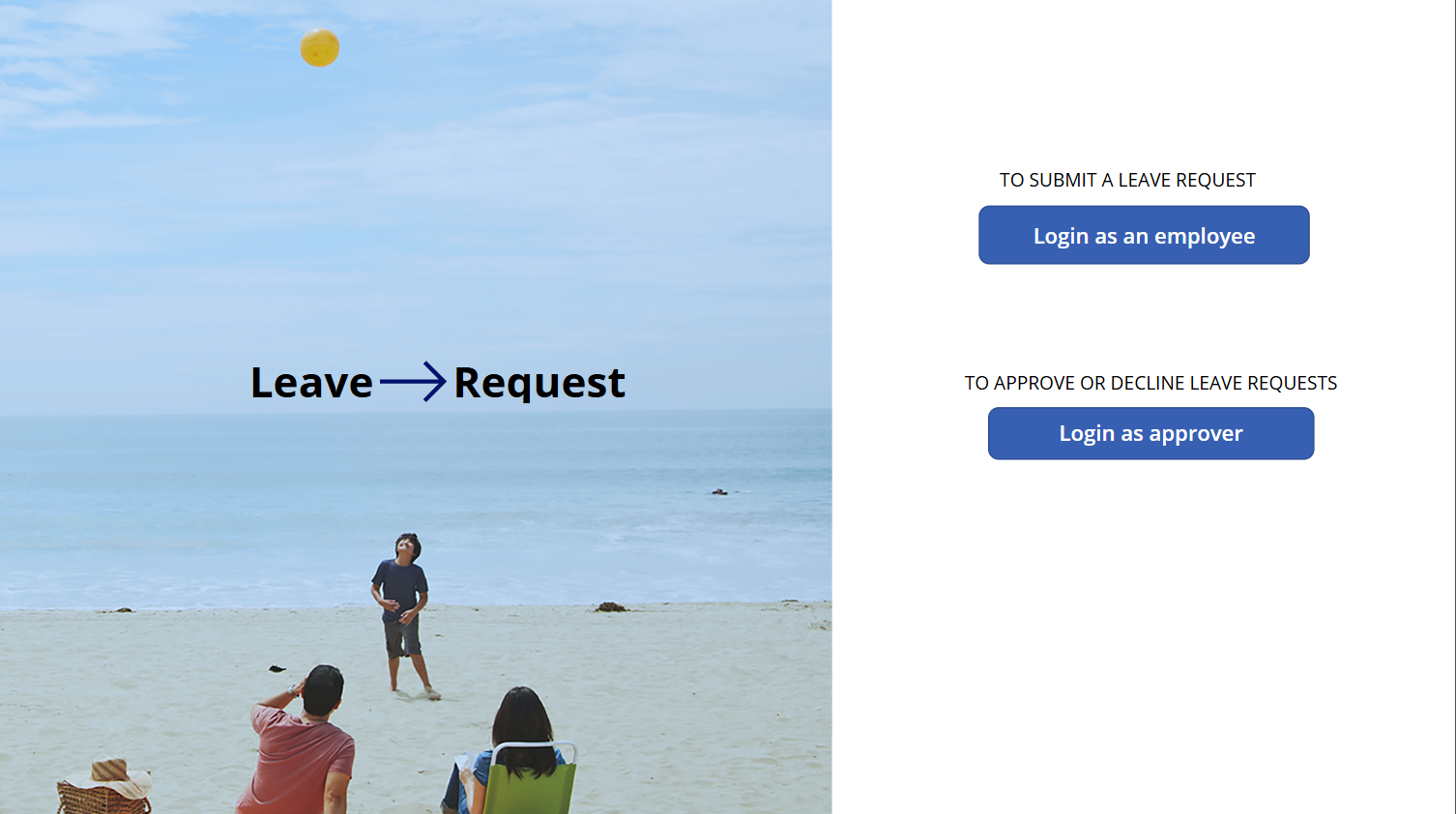
The app is designed with security and privacy in mind. Role-based access ensures that employees, managers, and HR personnel can only access information relevant to their roles. For instance, employees can view only their data, managers can view team-level data, and HR can access company-wide analytics and reporting.
Benefits
- Improved Efficiency: Automates the entire leave process, reducing paperwork and manual tracking.
- Transparency: Employees have full visibility into their leave status, while managers have a clear view of team availability.
- Accuracy: Reduces errors caused by manual entries and ensures that data is updated in real-time.
- Compliance: Helps HR stay compliant with company policies and labor regulations.
- Scalability: Suitable for small businesses to large enterprises, with the flexibility to scale and expand functionalities as needed.
Conclusion
Our Leave Management System in PowerApps is more than just a tool – it’s a strategic asset for modern HR departments aiming to improve productivity and enhance employee satisfaction. By digitizing and automating leave workflows, the app frees up valuable time, reduces administrative burdens, and creates a more agile and responsive work environment. Whether you’re starting your digital transformation journey or looking to upgrade your current system, our solution provides a smart, scalable, and secure way to manage leaves efficiently.
Let’s modernize your Project management app today — powered by Microsoft and built by industry experts.
Note: I provide paid support to install the application.
The purchase includes the application files only.
If you want deployment or installation in your tenant, it is a paid add-on service, and the installation fee is $50 USD per tenant.
Keny White –
Lorem ipsum dolor sit amet, consectetur adipiscing elit. Maecenas pretium pretium iaculis. Nullam vestibulum vestibulum libero
TipsByAnil –
I downloaded the code for the Leave Management System, and it works perfectly! Thank you so much, Tips by Anil, for providing such an excellent and affordable solution. It’s easy to use, well-structured, and definitely worth the price. Highly recommended!
Kirti –
The Leave Management System in PowerApps by TipsByAnil is simply amazing! I downloaded and imported the ZIP file, and it worked perfectly right from the start. The design is clean, responsive, and user-friendly, making it easy to manage employee leave requests, approvals, and balances.
Thanks to TipsByAnil for sharing such a ready-to-use PowerApps project. It’s an ideal solution for organizations looking for a PowerApps leave management app that simplifies HR workflows and boosts efficiency. Highly recommended!
James –
The Leave Management System designed in PowerApps by TipsByAnil works flawlessly! I downloaded and imported the ZIP file without any issues, and it’s running smoothly. The app has a modern interface, responsive design, and makes it super easy to handle employee leave requests, approvals, and reports.
Huge thanks to TipsByAnil for providing such a professional and ready-to-use PowerApps project. This is the perfect leave tracking solution for PowerApps users and businesses that want to automate HR processes efficiently.
Smith –
I recently downloaded the Leave Management App solution file for PowerApps, and I’m genuinely impressed with both the quality and the price. The solution is very affordable, especially considering how feature-rich and well-designed the app is.
Installing the ZIP file into my PowerApps environment was extremely easy — the import completed smoothly, and the app worked perfectly right from the start without any configuration issues.
The Leave Management App includes everything needed for a modern HR workflow:
Clean and user-friendly UI
Easy leave request submission
Manager approval process
Real-time leave balance tracking
Dashboard and reporting screens
Despite being available at such a low cost, the app feels professional, polished, and ready for real organizational use.
Overall, this Leave Management App is excellent value for money.
✔ Very cheap rate
✔ High-quality design
✔ Smooth installation
✔ Perfect functionality
Highly recommended for anyone looking for an affordable and fully functional leave management solution in PowerApps.