

Inventory Management System in PowerApps – A Complete Digital Solution
User Manual – How to download and install App in your environment
Introduction
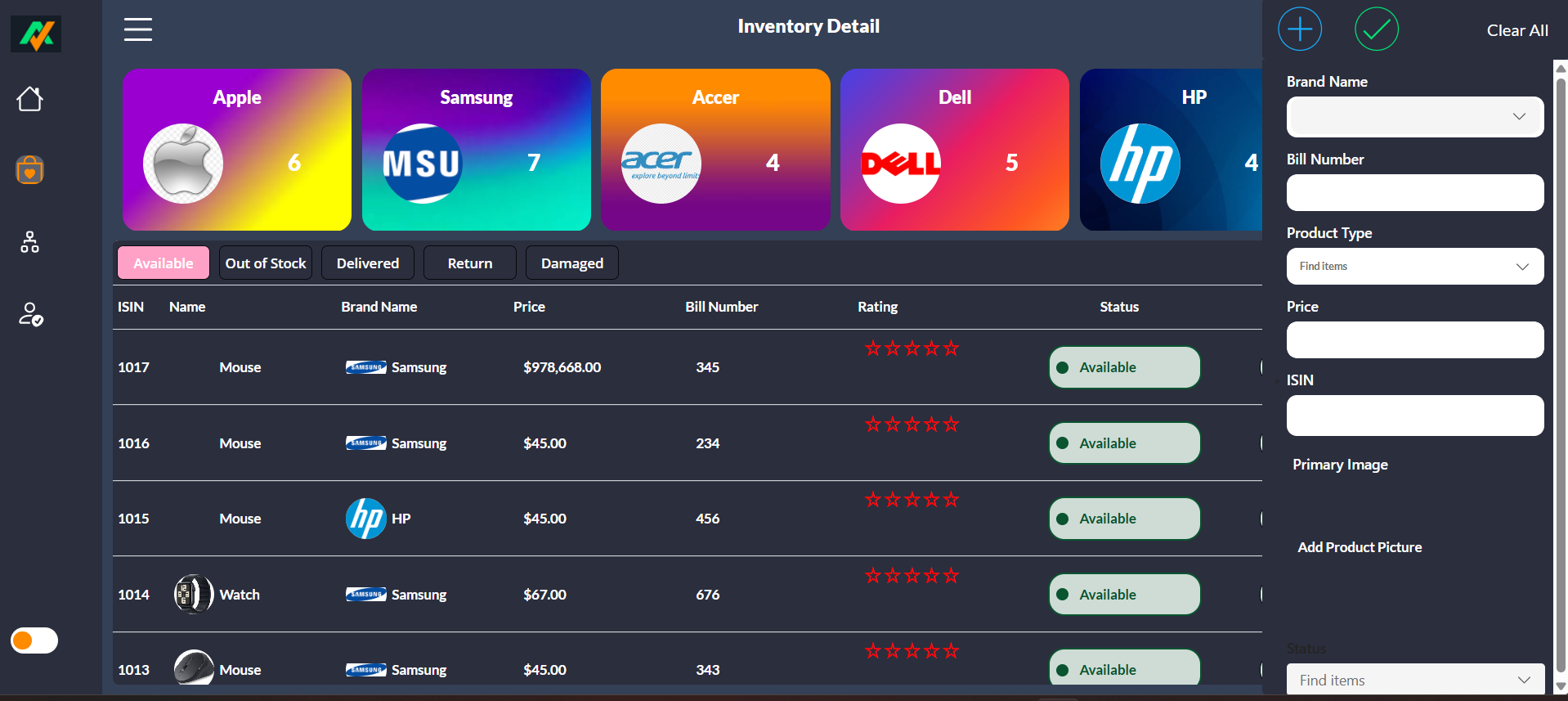
An efficient Inventory Management System in PowerApps helps businesses track stock levels, manage suppliers, and streamline inventory operations. With Microsoft PowerApps, you can build a low-code, fully customizable solution that fits your specific inventory needs—without complex development. Whether you’re handling retail items, warehouse products, or office supplies, PowerApps enables real-time inventory tracking, automated updates, and seamless integration with data sources like SharePoint. In this guide, we’ll walk you through creating a powerful PowerApps Inventory Management System to improve accuracy, reduce stock issues, and enhance operational efficiency across your organization.
To meet this challenge, we developed an intelligent and customizable Inventory Management System in PowerApps, designed to transform how businesses handle inventory within the Microsoft ecosystem. Built using Microsoft PowerApps, SharePoint or Dataverse, and Power Automate, our solution is mobile-ready, secure, and tailored to your operational workflows.
This article provides a complete breakdown of our Inventory Management System in PowerApps—from its core features and benefits to real-world use cases and technical specifications.
Why Build an Inventory Management System in PowerApps?
The traditional way of managing inventory often includes outdated spreadsheets, disparate tools, and manual data entry — leading to inefficiencies, errors, and missed opportunities.
With the increasing adoption of Microsoft Power Platform, we saw an opportunity to create an Inventory Management System in PowerApps that offers:
- Real-time visibility into inventory levels
- Seamless integration with Microsoft 365 tools
- Customization flexibility for various industries
- Automation of purchase, stock in/out, and alerts
- Role-based access and centralized reporting
This modern inventory solution is built to help organizations scale, automate, and stay competitive — all without expensive third-party software.
Core Features of Our Inventory Management System in PowerApps
We designed the Inventory Management System in PowerApps with usability, functionality, and performance in mind. Here are the core features:
1. Real-Time Inventory Tracking
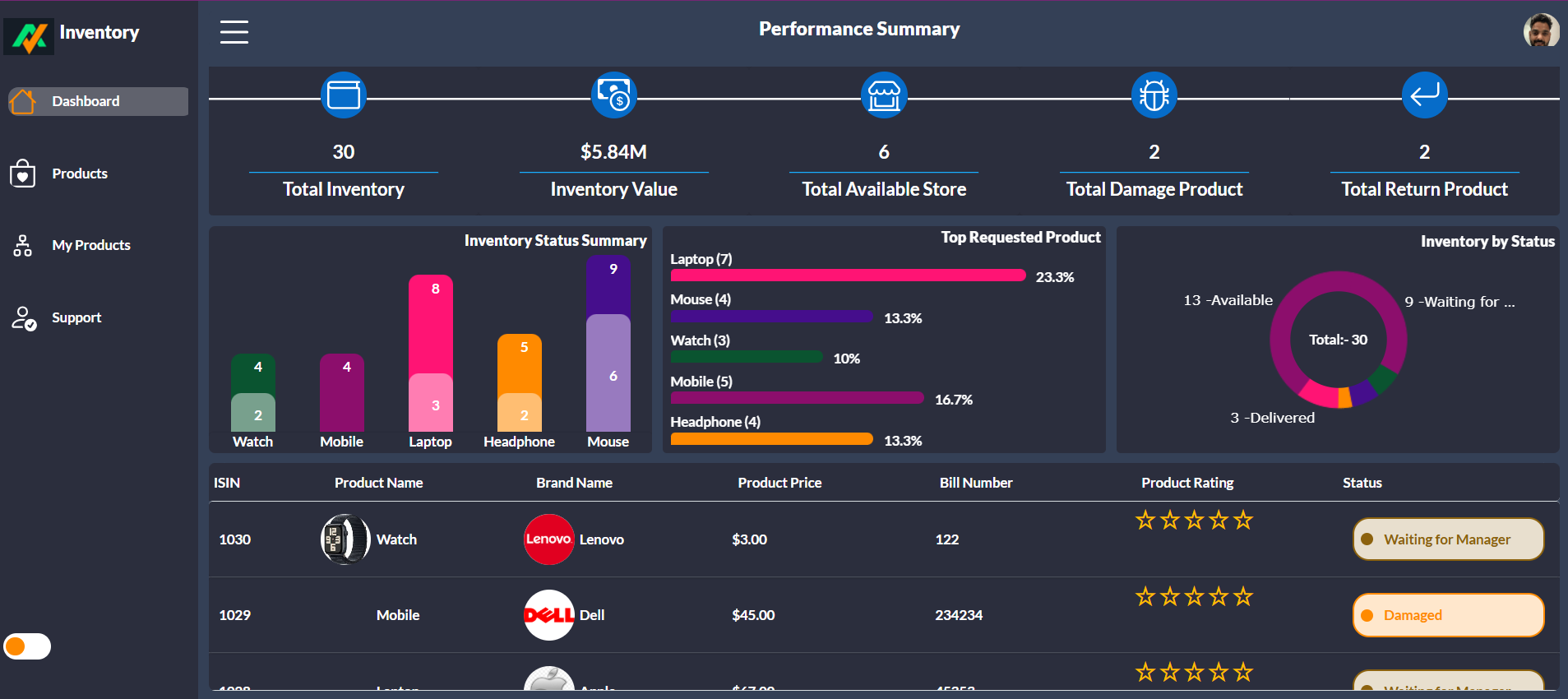
- Dashboard showing current stock levels
- Auto-update inventory on stock in/out
- Multi-location inventory tracking
- Barcode scanner support (mobile)
2. Purchase Order Management
- Create and manage POs
- Track items received vs. ordered
- Vendor database integration
- Status alerts for pending orders
3. Stock In & Stock Out Management
- Log stock entries and dispatches
- Add notes, documents, or receipts
- Automated inventory balance adjustments
4. Alerts & Notifications
- Low stock alerts via email/Teams
- Out-of-stock warnings
- Expiry and reorder threshold settings
5. Item Master and Categorization
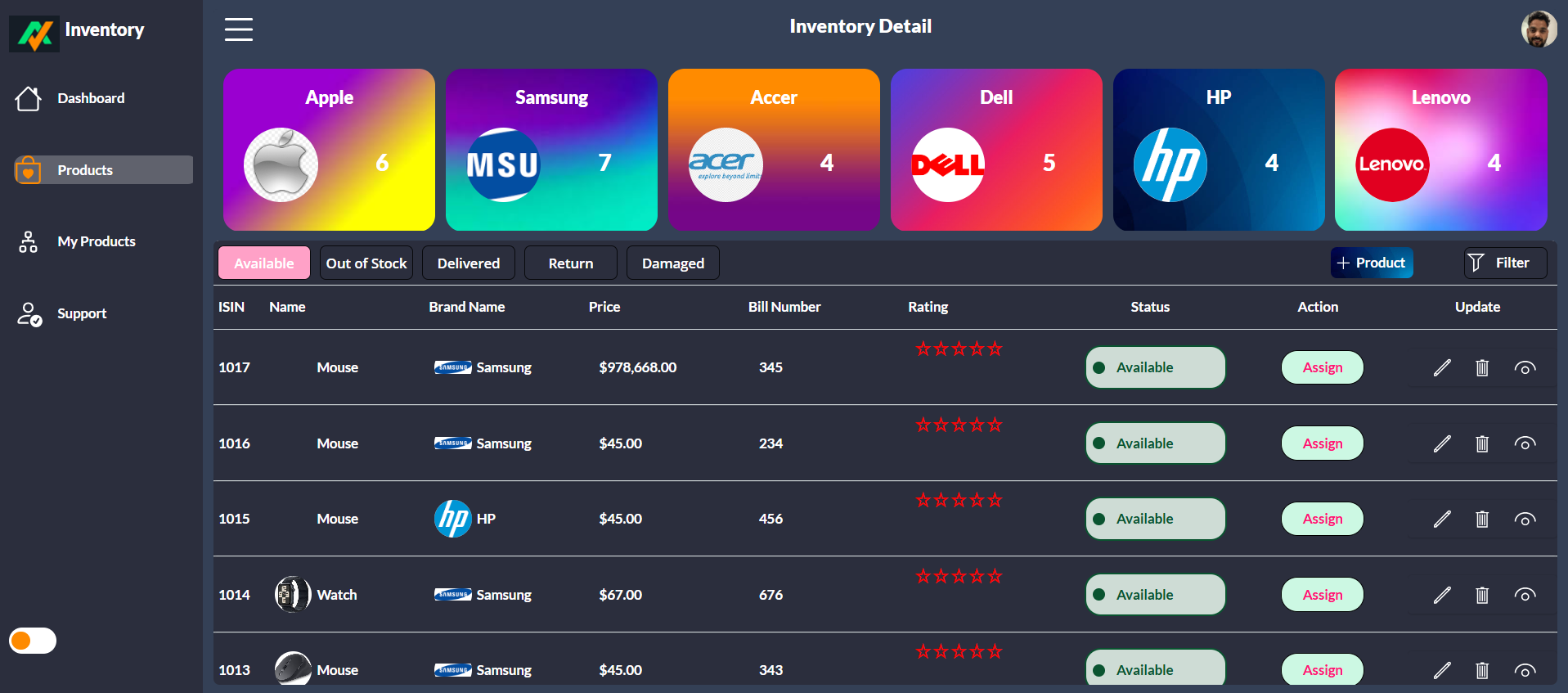
- Define product types, SKUs, categories
- Include images, descriptions, and units
- Manage serialized or batch inventory
6. Reports & Analytics
- Inventory valuation report
- Movement report by date, item, or location
- Export to Excel or view in Power BI
Technology Stack Used
Our Inventory Management System in PowerApps is built using a modern and secure tech stack:
Frontend – PowerApps Canvas App
- Fully responsive UI
- Touch-friendly design for mobile use
- Custom screens for Admin, Warehouse Staff, and Managers
Backend – SharePoint Lists / Dataverse
- SharePoint for M365-centric clients
- Dataverse for enterprise-grade relational data
- Secured, structured data with custom columns
Automation – Power Automate
- Triggered flows for stock updates
- Email/Teams notifications
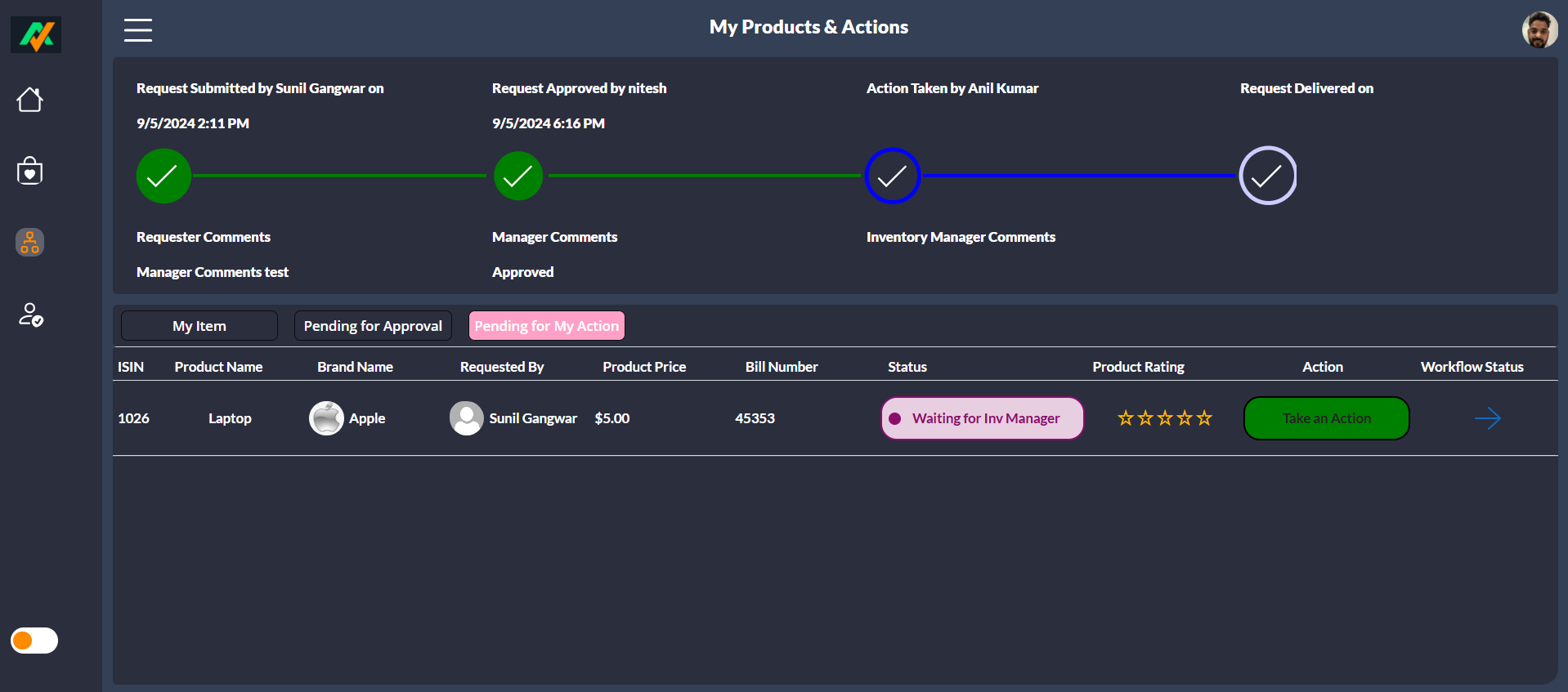
- Approval flows for PO and stock issuance
Security – Azure AD Authentication
- Microsoft 365 login
- Role-based screen access
- Secure data access using connectors
Modules in Inventory Management System in PowerApps
1. Item Master Module
- Add, edit, or delete product details
- Attach documents like datasheets or images
- Set min/max levels, reorder thresholds
2. Stock In/Out Module
- Barcode or manual entry of stock movements
- Record reason for issuance (e.g., production, dispatch)
- User and time tracking of all actions
3. Purchase Order Module
- Create new POs with item details
- Assign vendor, delivery date, and payment terms
- Partial or full receiving with variance tracking
4. Stock Adjustment Module
- Manual stock correction (admin only)
- Reason code and documentation
- Full audit trail maintained
5. Inventory Reporting Module
- Dashboard for KPIs (Stock Turnover, Wastage)
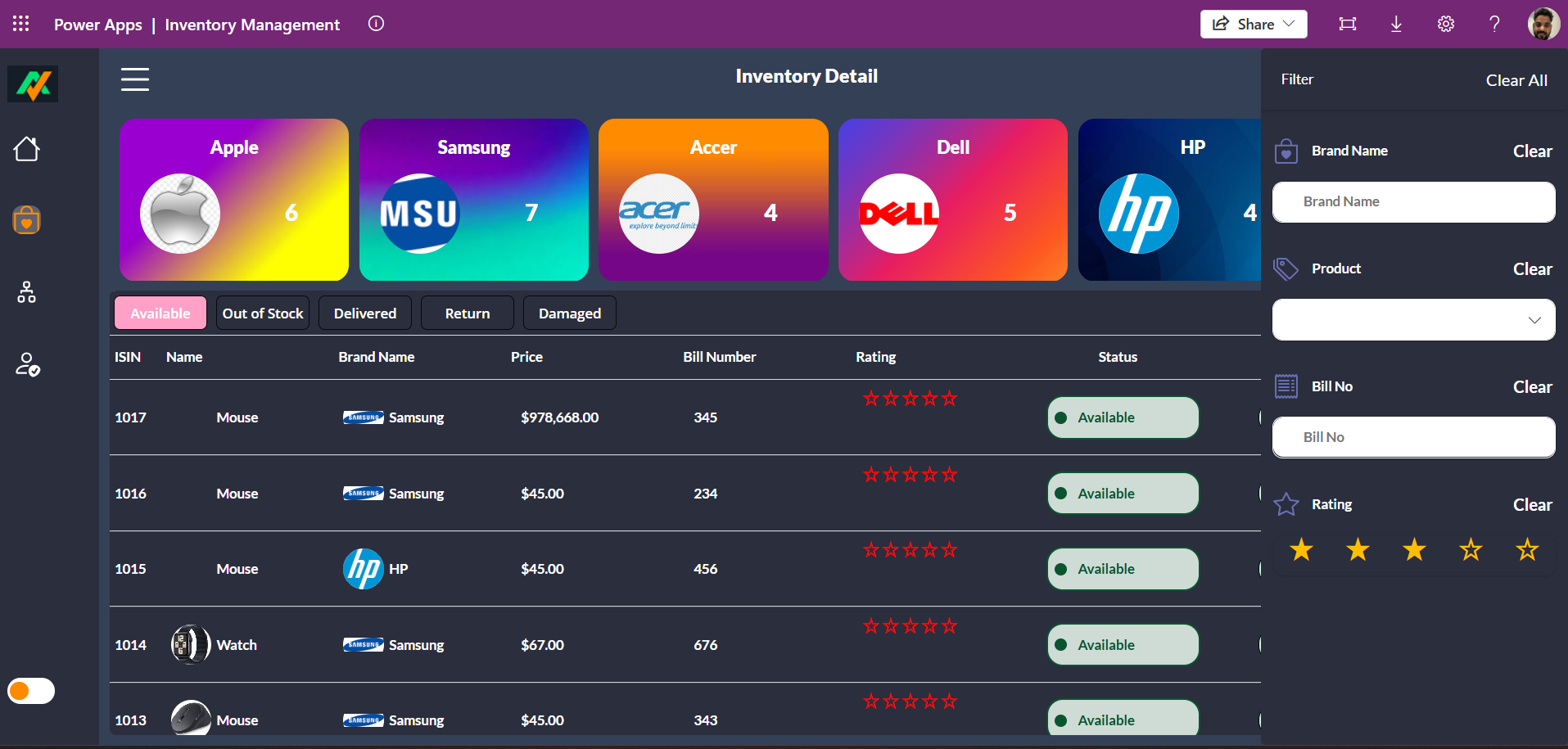
- Filters for item, date, category, location
- Export data for compliance and finance
6. Notifications Module
- Set thresholds for stock alerts
- Notification history for audit
- Email and Teams notifications via Power Automate
User Roles & Access Control
Our Inventory Management System in PowerApps includes secure role-based access:
- Warehouse Staff: Add stock in/out records
- Managers: Approve POs and view reports
- Admins: Manage master data, users, and settings
- Finance: View purchase and inventory valuation reports
All roles can be managed through SharePoint lists or Azure AD groups.
End-to-End User Journey
Warehouse User
- Opens the PowerApps app on mobile or tablet
- Scans a barcode or searches for an item
- Logs stock in/out with quantity and notes
- Gets instant stock level update
Manager
- Views daily stock movements
- Approves or creates purchase orders
- Checks alerts for low inventory
- Reviews dashboard KPIs
Admin
- Manages item master and categories
- Updates location list and vendor database
- Maintains stock adjustment logs
- Generates and shares custom reports
Benefits of Our Inventory Management System in PowerApps
- Real-Time Visibility: Always know what’s in stock and where
- Error Reduction: No more manual errors in Excel or paper logs
- Seamless Microsoft 365 Integration: Works with Outlook, Teams, SharePoint, and Excel
- Cost Efficiency: No expensive software licenses or long onboarding
- Customization: Tailor it to fit your exact industry and workflow
Customization Options
Every company is unique, so our Inventory Management System in PowerApps is highly configurable:
- Enable/disable modules (e.g., PO, stock adjustments)
- Use SharePoint or Dataverse as backend
- Local language support
- Custom user interfaces and logic
- Integration with Dynamics 365 or SAP
Real Customer Success Story
Client: ApexTech Components
Before:
Inventory was tracked using Google Sheets. Stockouts and over-ordering were frequent, costing time and money.
After:
They implemented our Inventory Management System in PowerApps with SharePoint backend and Power BI reporting.
Results:
- 80% reduction in stock-related errors
- Weekly inventory audits automated
- Teams notified automatically for low stock
- Managers now view real-time data on mobile
Reports and Power BI Integration
For data-driven businesses, we offer Power BI dashboards as an optional enhancement:
- Stock turnover ratio
- Inventory aging
- Daily/weekly stock movements
- Item consumption trends
- Reorder point forecasting
The Inventory Management System in PowerApps feeds structured data directly into these reports.
Security and Compliance
- Data protected via Microsoft security model
- Role-based access using Azure AD
- Item-level permissions if needed
- GDPR and ISO-aligned architecture
Our Inventory Management System in PowerApps keeps your inventory data safe and compliant.
Future Enhancements
We constantly evolve the product based on customer needs. Coming soon:
- QR code generation and label printing
- AI-based inventory forecasting
- Mobile offline support
- Integration with IoT warehouse sensors
- Stock transfer between warehouses
Industries We Serve
Our Inventory Management System in PowerApps is suitable for:
- Retail & eCommerce
- Manufacturing & Production
- Logistics & Warehousing
- Healthcare & Pharma
- Educational Institutions
- Construction & Engineering
Whether you’re tracking raw materials, tools, or finished goods, this system delivers.
Why Choose Us?
With deep expertise in the Power Platform, our team brings real-world knowledge, proven frameworks, and business process understanding to every deployment. When you work with us, you get:
- Fast turnaround
- Microsoft 365 and Power Platform alignment
- Custom development capability
- Transparent pricing and licensing
- Long-term partnership mindset
Note: I provide paid support to install the application.
The purchase includes the application files only.
If you want deployment or installation in your tenant, it is a paid add-on service, and the installation fee is $50 USD per tenant.
Get Started Now
Ready to transform your inventory process with automation, real-time visibility, and seamless Microsoft integration?
🚀 Book a live demo of our Inventory Management System in PowerApps
📧 Email: TipsByAnil@TipsByAnil.onMicrosoft.Com
🌐 Website: www.tipsbyanil.com
📱 WhatsApp Support: +91-8468073183
Let’s modernize your Project management app today — powered by Microsoft and built by industry experts.

Ritik –
I downloaded the Zip file from here and it’s working smoothly, thanks Anil for saving my time
James –
I downloaded this project file from here and imported it without any issues. Everything worked smoothly and exactly as expected. The setup process was simple, and the functionality is reliable. Great resource – highly recommended!
Jack –
The Inventory Management App by TipsByAnil is an excellent and practical PowerApps project. It makes tracking stock, managing products, and monitoring inventory levels so much easier. The design is clean, responsive, and works smoothly after download — no errors or glitches. It’s a perfect tool for small businesses or learners who want to understand how PowerApps can handle real-world inventory solutions. Great job, TipsByAnil! Highly recommended for everyone looking to streamline inventory control
Andrea –
The best Inventory Management System in PowerApps I’ve used! I downloaded and imported the ZIP file, and it worked perfectly without any errors. The app is easy to use, responsive, and designed with great attention to detail. It’s a complete inventory tracking solution for managing stock, suppliers, and products efficiently.
Thanks to TipsByAnil for creating and sharing such a ready-to-use PowerApps project. Highly recommended for anyone looking for a PowerApps inventory app or inventory management solution for business and organization needs.
Sachin –
This is truly the best Inventory Management System built with PowerApps! I downloaded and imported the ZIP file easily, and it worked smoothly without any setup issues. The app provides a complete inventory tracking solution with clean design, responsive layout, and easy navigation.
Thanks to TipsByAnil for creating such a professional and ready-to-use PowerApps project. It’s perfect for businesses and individuals who want an efficient way to manage products, stock levels, and suppliers. A must-have PowerApps inventory app for every organization!
Karan –
I recently downloaded the ZIP solution file for the Inventory Management System in PowerApps, and I am extremely impressed with how well it works. The installation process was incredibly smooth — importing the solution into my PowerApps environment was quick, and everything loaded without any issues.
The system itself is very well-designed, with clean screens, intuitive navigation, and powerful features for managing stock, suppliers, purchase orders, and item movement. Every component works perfectly straight out of the box, and the logic is built in a way that’s easy to understand and customize.
What really stands out is how efficiently the app tracks inventory levels, alerts for low stock, and maintains transaction history. It’s a complete, professional-grade solution that saves a huge amount of development time.
Overall, this Inventory Management System is an excellent ready-made PowerApps product. The setup is easy, performance is smooth, and the functionality is robust. Highly recommended for anyone looking for a reliable, well-structured inventory solution in PowerApps.