

The Ticketing Management System in PowerApps with Dataverse by TipsByAnil.com is a ready-made, production-ready solution designed for IT Help Desk teams and internal support operations. This solution is delivered as a ZIP file that you can directly import into your PowerApps environment and start using or customizing as per your business needs.
Built using Microsoft Power Apps and Microsoft Dataverse, this ticketing system offers secure data handling, role-based permissions, real-time communication, and powerful analytics—all in one modern app.
How To Download and Install the Solution File
👥 Role-Based Access (2 User Types)
✅ 1. Ticket Reporter
Ticket Reporters are end users who raise issues or service requests.
Capabilities:
-
Create new tickets with priority and description
-
Upload images as ticket evidence
-
Chat with the assigned IT engineer
-
Track ticket status in real time
-
Receive email notifications:
-
When the ticket is assigned
-
When the ticket is closed after resolution
-
✅ 2. IT Help Desk / Portfolio Manager
IT Help Desk users manage and resolve tickets efficiently.
Capabilities:
-
View all tickets across the organization
-
Assign or reassign tickets (especially unassigned ones)
-
Communicate with reporters using chat (text + images)
-
Update ticket status and close resolved tickets
-
Access full analytics dashboard
-
Optional: restrict dashboard access only to super users / portfolio managers
🖥️ Application Screens Included (3 Screens)
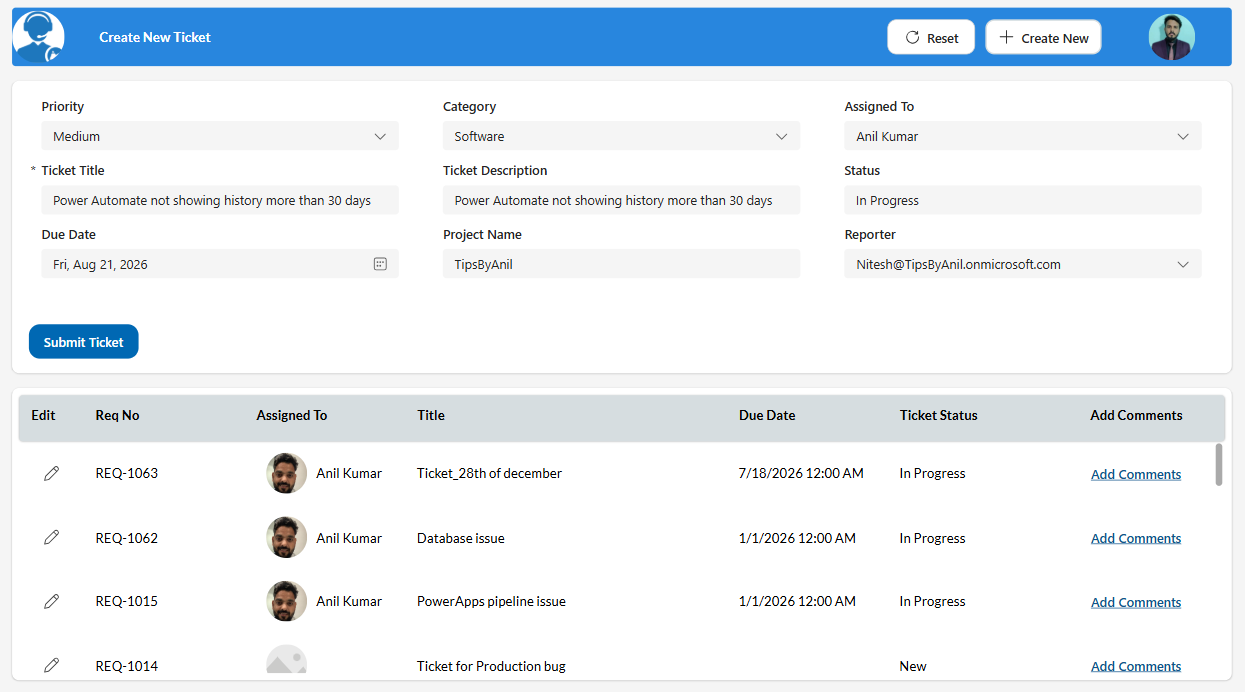
📝 1. Ticket Create Screen
-
Clean and intuitive ticket submission form
-
Priority, description, and attachment support
-
Automatic email notification to assignee once ticket is created
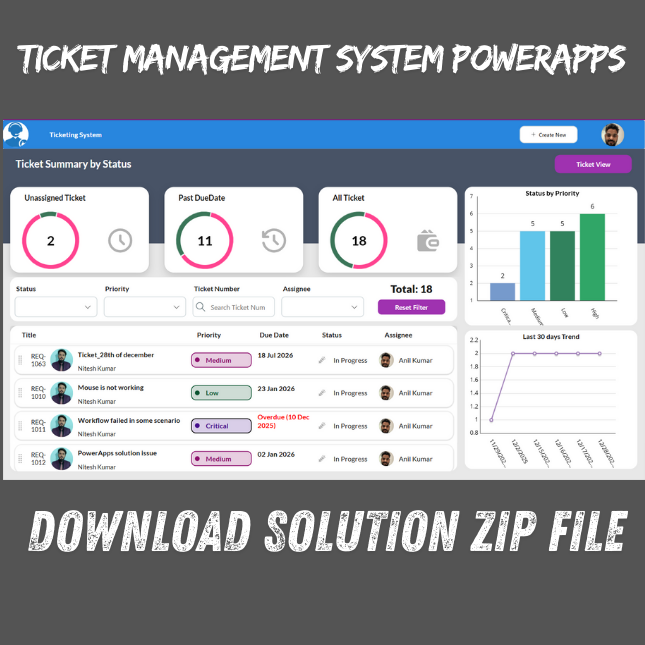
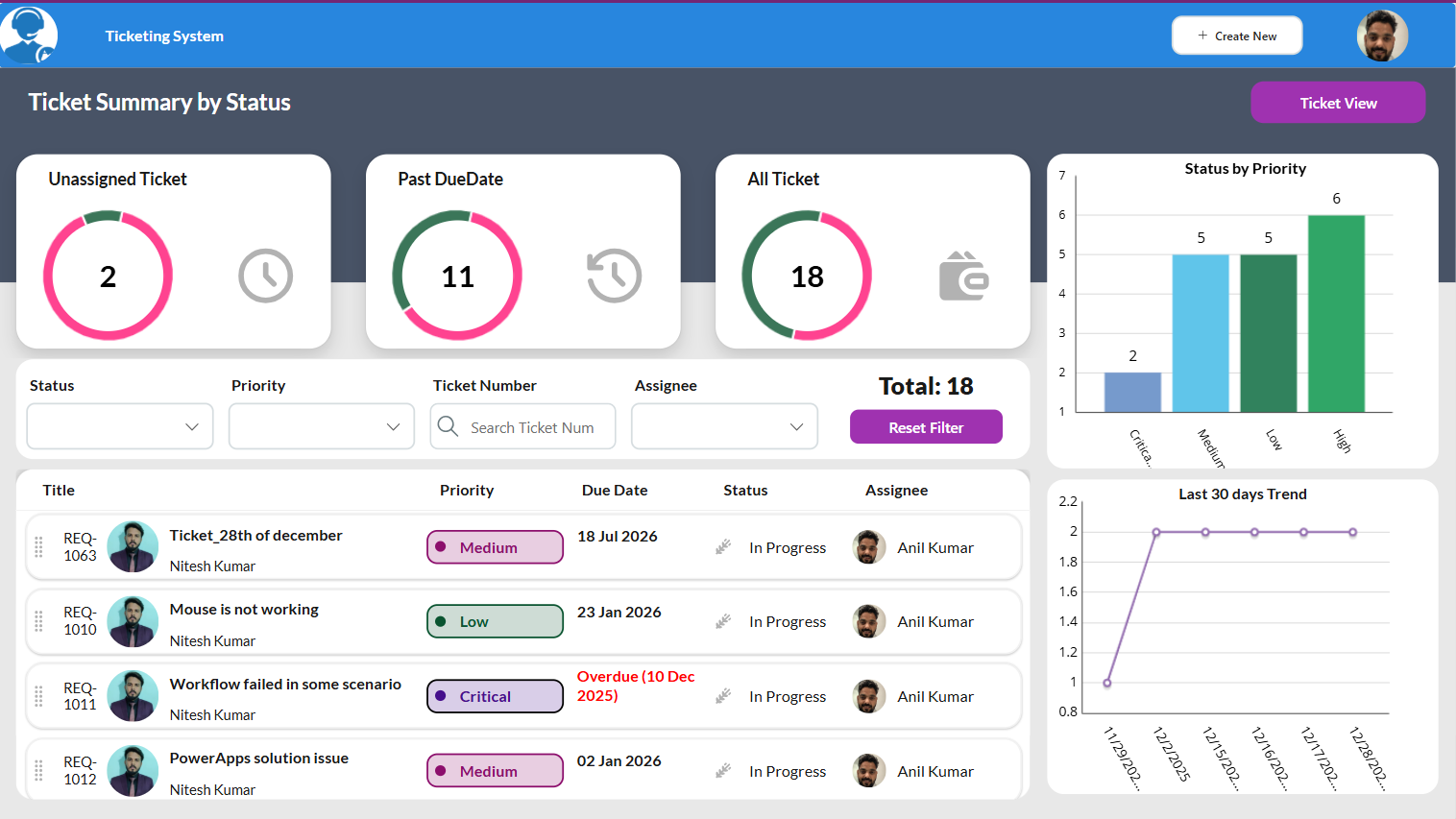
📊 2. IT Help Desk Dashboard (Role-Based Visibility)
This dashboard is visible only to IT Help Desk or authorized super users and includes:
-
Tickets by Priority
-
Tickets by Status
-
Ticket Creation Trend Analysis
-
Advanced filtering by:
-
Ticket Number
-
Status
-
Priority
-
Assignee
-
This helps teams track performance, workload, and resolution trends effectively.
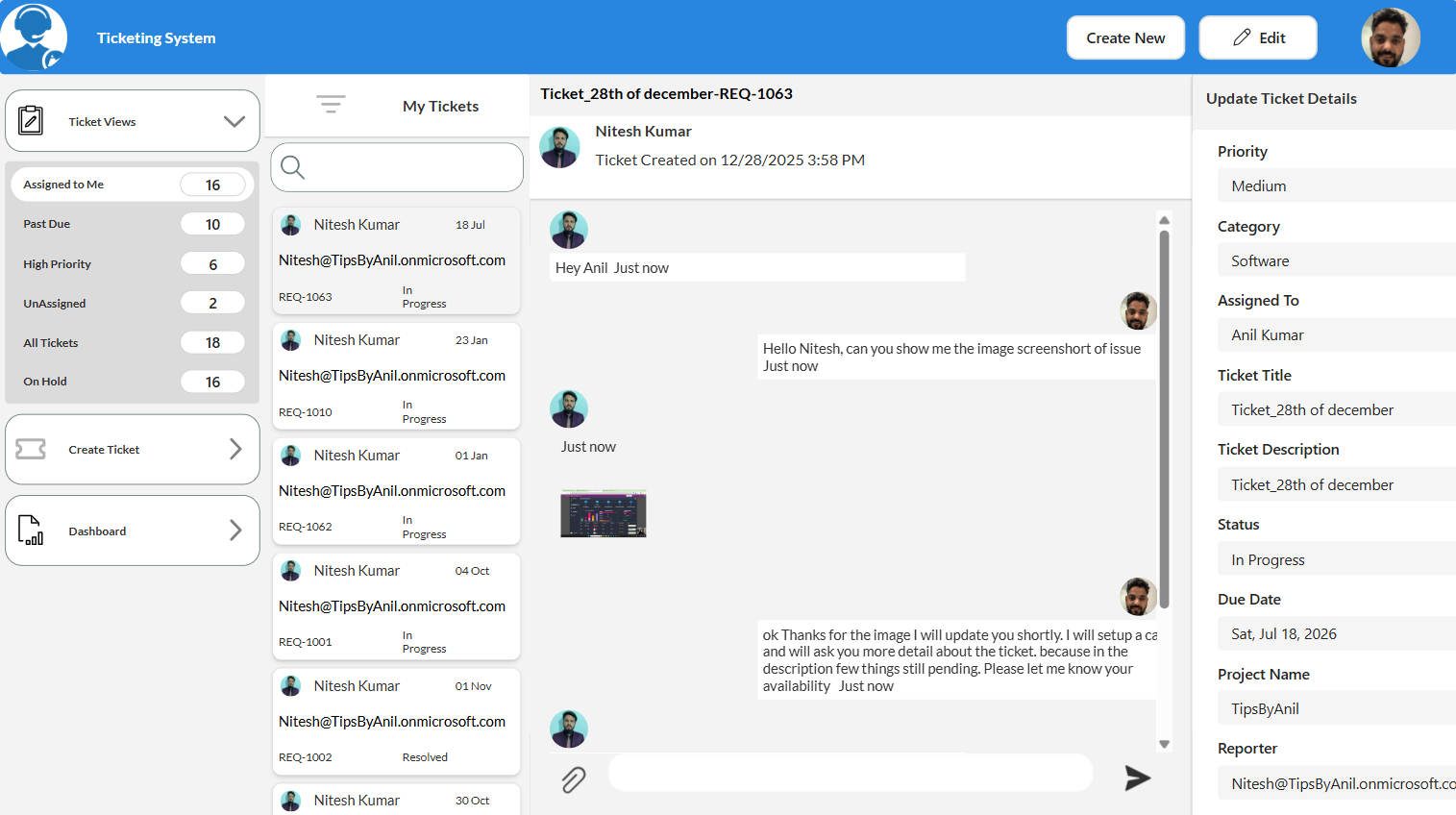
📂 3. Ticket View & Management Screen
A powerful operational screen where assignees can manage tickets using predefined views:
-
Assigned to Me
-
Past Due Tickets
-
High Priority Tickets
-
Unassigned Tickets
-
On Hold Tickets
-
All Tickets
From this screen, the assignee can:
-
Assign tickets to themselves or others
-
Chat with the ticket creator
-
Upload images as resolution proof
-
Close tickets once resolved
💬 Built-In Chat System with Image Support
-
Two-way chat between ticket reporter and assignee
-
Supports image sharing for issue proof or resolution evidence
-
All conversations remain linked to the ticket for auditing and history
✉️ Automated Email Notifications
-
Email sent to assignee when a ticket is created
-
Email sent to reporter when the ticket is closed
-
Ensures transparency and faster response times
📦 What You Get in the Download
-
✔ PowerApps Solution ZIP File
-
✔ Dataverse-based data structure
-
✔ Role-based logic preconfigured
-
✔ Ready-to-use dashboard and reports
-
✔ Clean, scalable architecture
-
✔ Fully customizable UI and permissions
🎯 Why Buy from TipsByAnil.com?
-
Ready-made solution (save weeks of development time)
-
Built using real-world IT help desk scenarios
-
Easy to customize and extend
-
Ideal for internal IT support, service desks, and enterprises
-
One-time download, lifetime usage for your organization
Note: I provide paid support to install the application.
The purchase includes the application files only.
If you want deployment or installation in your tenant, it is a paid add-on service, and the installation fee is $50 USD per tenant.

Reviews
There are no reviews yet.